The short version
-
Upload the finished design
PNG, JPEG, or WebP up to 25 MB.
-
Build the package
No account needed for this step.
-
Sign in
With a 6-digit code we email you. No password.
-
Pick the style and the quality
Detailed or Simplified. 1K is free; 2K and 4K use credits.
-
Preview, then generate
The preview is free and does not count against your daily limit.
-
Check and adjust
Compare with your original, then use Stencil settings.
-
Print to size
At 100% (Actual size), never Fit to page.
Start with the finished design
Tattoo Pack turns a design you already drew into a stencil. It does not generate designs from a text prompt, and it is not a library of ready-made stencils. Start from the final art.
Upload a PNG, JPEG, or WebP up to 25 MB. Working in Procreate or another drawing app? Export the finished design as PNG or JPEG and upload that file. iPhone photos saved as HEIC are not accepted: share the photo with Options set to Most Compatible, then upload that copy.
A photo of a paper drawing, or any other image, goes through the same steps. The whole image goes into the stencil frame, so crop it to the design before you upload.
The stencil generator cannot process licensed characters or brands (Disney, Marvel, anime franchises, logos) or nude and erotic images. Such uploads are rejected or come out distorted.
Build the package
Upload the file in the form on the homepage. Leave Package mode on Auto, or set Color or Black and gray yourself. For color work, pick your ink brand, then tap Build package.
This step needs no account. A color package includes the palette breakdown, ink breakdown, ink map, and tone map; a black-and-gray package includes tone maps. More on the color side: tattoo ink color matching.
Sign in for the stencil
The stencil is made on the package page, and it needs an account. Enter your email, and we'll send you a 6-digit code. There is no password. Once signed in, you get 2 free 1K stencils a day; the count resets at midnight UTC.
Choose Detailed or Simplified for your printer
Stencil style has two options. Choose based on the printer you will print the stencil on. Both styles cost the same. The printer list below is the one that opens under Which printers? on the package page.
- Detailed: fine lines and dotwork. For thermal stencil printers with 300 dpi (for example Brother PocketJet PJ-823, PJ-863, PJ-883, including the S8 versions, or Phomemo M832) and for inkjet printers loaded with stencil ink.
- Simplified: fewer dots and tiny details. For thermal stencil printers with 200 to 203 dpi (for example Phomemo M08F, TP81, Yilong ATS886, Dragonhawk MAST, Brother PocketJet PJ-822, PJ-862) and for thermal copiers.
- Don't know your printer's resolution? Choose Simplified. It is selected by default and marked Recommended.
Pick the stencil quality
1K is free. 2K and 4K are higher-resolution stencils: 2K costs 1 credit, 4K costs 2 credits. Credits come from promo codes, which we post on Instagram @tattoopack.app. Tap Enter promo code, type the code, and tap Redeem. If a 2K or 4K stencil fails, the credits you spent come back.
Planning a large piece? The print studio warns you when the size you set is too large for the stencil's resolution and suggests 2K or 4K, so pick the quality with the size on the skin in mind.
Preview, then generate
Preview stencil shows how the design sits in the stencil frame. The preview is free and does not count against your daily limit. Check that it contains the complete design: the design keeps its proportions, and white margins fill the rest of the frame.
Then tap Generate stencil. Google Gemini draws the stencil from your design. If the content filter holds a result back, the page tells you whether the attempt was counted and what to try next. How your design is handled along the way is described in the privacy policy.
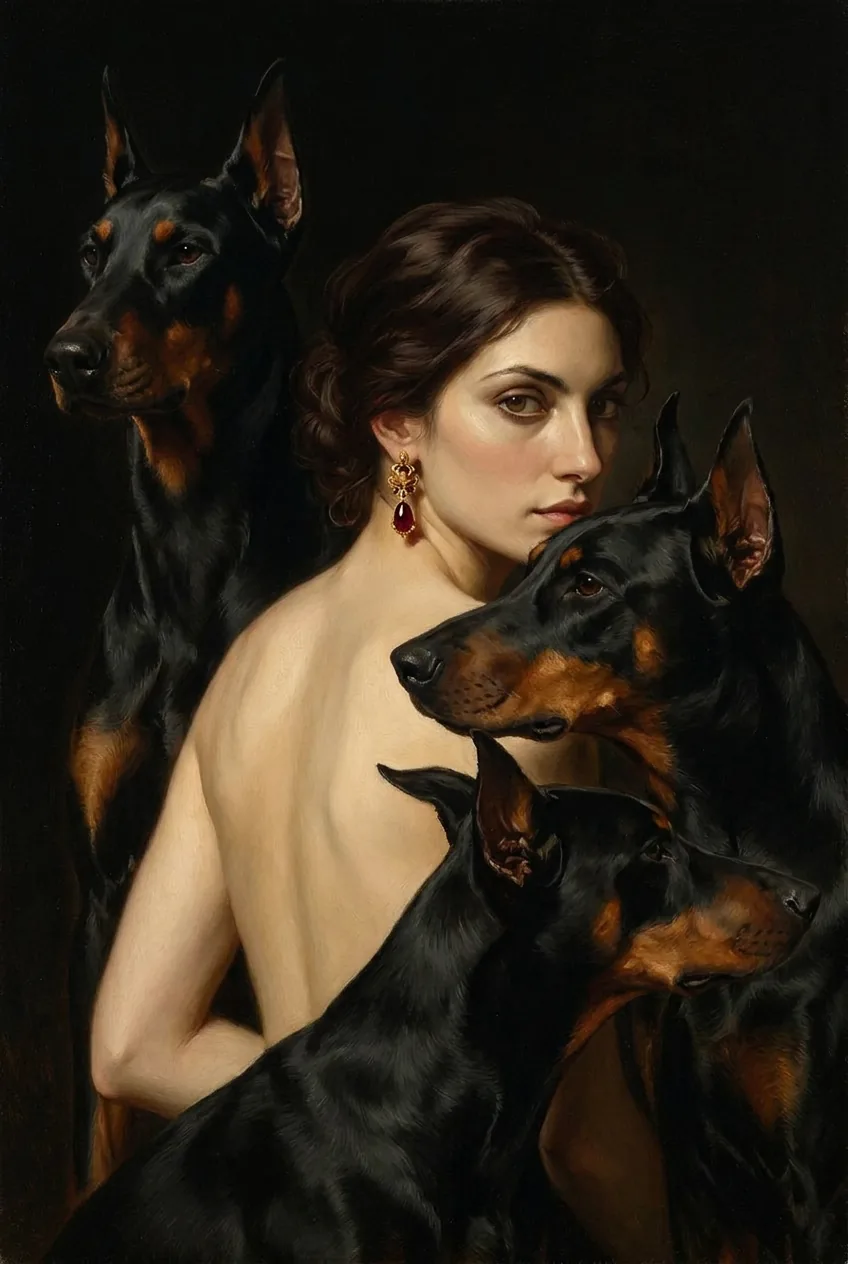
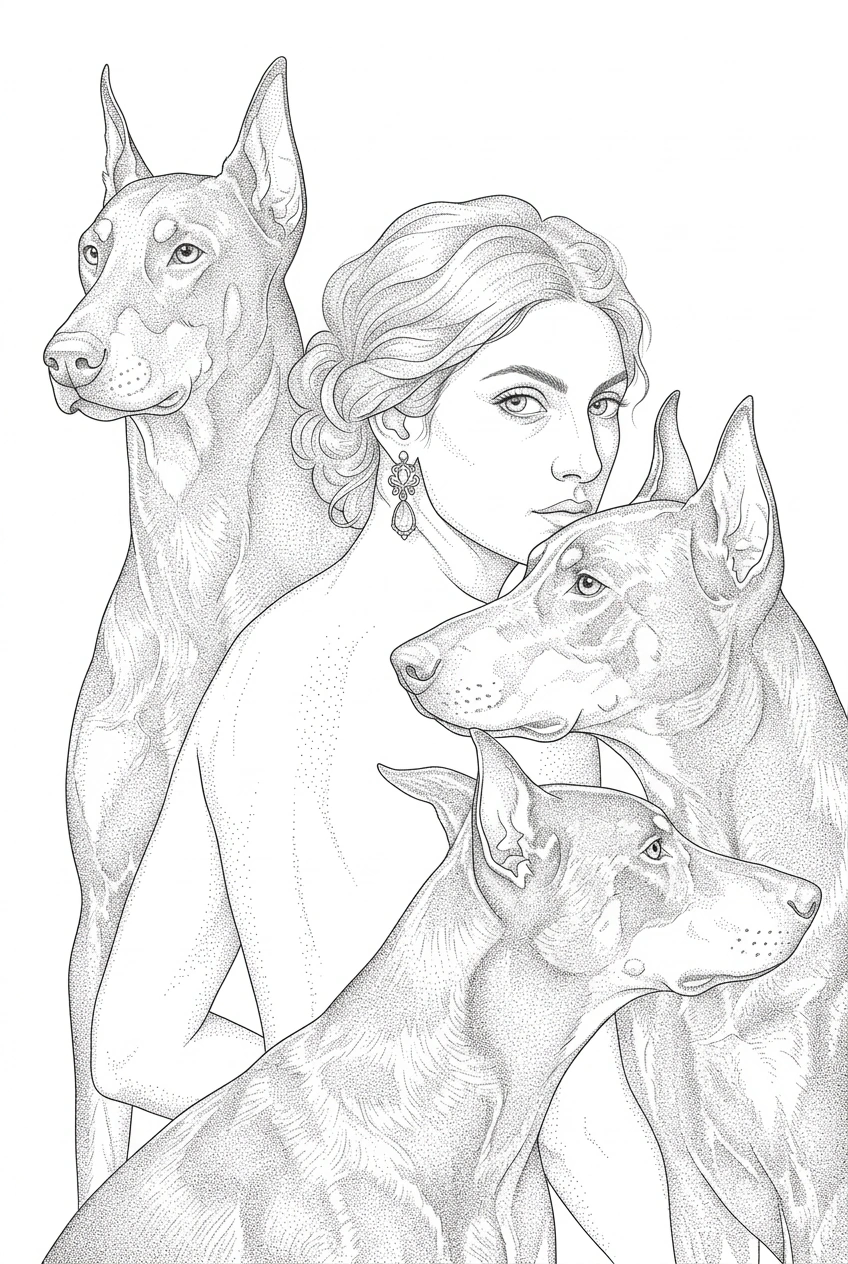
Check the stencil against your original
Generated lines can shift. Before the stencil goes anywhere near skin, compare it with your original design side by side, for example with the design open on an iPad. Small details may need to be redrawn by hand.
Look first where a shift shows the most: faces, lettering, and fine dotwork.
Details can shift in a generated stencil. Compare it with your original every time before you transfer it.
Adjust the stencil settings
Under the finished stencil, Stencil settings opens the Adjust before printing panel. Start from a preset (Clean, Darker, or Bold lines) or set the sliders yourself: Cleanup, Contrast, Darken, Sharpness, and Line thickness. Reset brings back the stencil as generated.
Line thickness is set in pixels at full resolution. The hint in the app: thermal printers usually need +1 to +2.
The app also suggests raising the contrast before printing: a denser, higher-contrast print transfers onto skin more reliably.
Settings are applied to the full-resolution file when you download or print. They run in your browser, so they do not use up a stencil.
Size it and print
Under the stencil, Print to size opens the print studio with your stencil settings applied. Set the size on the skin (by width, by height, or with Measure on design), pick Letter, Legal, or A4, and print. A stencil bigger than the paper is split across overlapping sheets.
Print at 100% (Actual size), not Fit to page. The full walkthrough: print a tattoo stencil at actual size.
Download your files
Files are available to download for 24 hours, so download what you need right after you build the package.
Questions about making stencils
Can I turn a picture or a photo into a tattoo stencil?
Yes, if it is a PNG, JPEG, or WebP up to 25 MB. The whole image goes into the stencil frame, so crop it to the design first. Upload only images you have the right to use; see the terms.
How do I make a stencil from a Procreate drawing?
Export the finished design from Procreate as PNG or JPEG and upload that file. Tattoo Pack reads the exported image, not the Procreate file.
Which printer do I need?
Tattoo Pack does not require a particular printer; you choose the style that suits yours. Detailed is for 300 dpi thermal stencil printers and inkjet printers with stencil ink, Simplified for 200 to 203 dpi thermal printers and thermal copiers. Not sure about the resolution? Choose Simplified.
How many stencils can I make for free?
Two free 1K stencils a day after email sign-in. The preview does not count. 2K and 4K use credits, and credits come from promo codes.
Why does the stencil look different from my design?
Generated lines can shift, and the style decides how much fine detail stays: Simplified keeps fewer dots and small details. Compare the stencil with your original and redraw small details by hand where needed.
Can I make the lines darker or thicker?
Yes, in Stencil settings: Darken, Contrast, and Line thickness, or the Darker and Bold lines presets. The changes apply when you download or print and do not use up a stencil.
Do I need to mirror the stencil?
On a thermal printer or an inkjet printer with stencil ink, yes: turn on Mirror in Print to size, and it mirrors the whole stencil across all sheets. On plain paper for a thermal copier, mirror on the copier instead: leave Mirror off in the studio and use the copier's own Mirror button.
Related guides
Try it on your design
Upload your designBuilding the package is free with no account. The stencil needs email sign-in, with 2 free 1K stencils a day.